7 Easy Steps To Manage Your Subscription
Read The Steps Below
Step #1
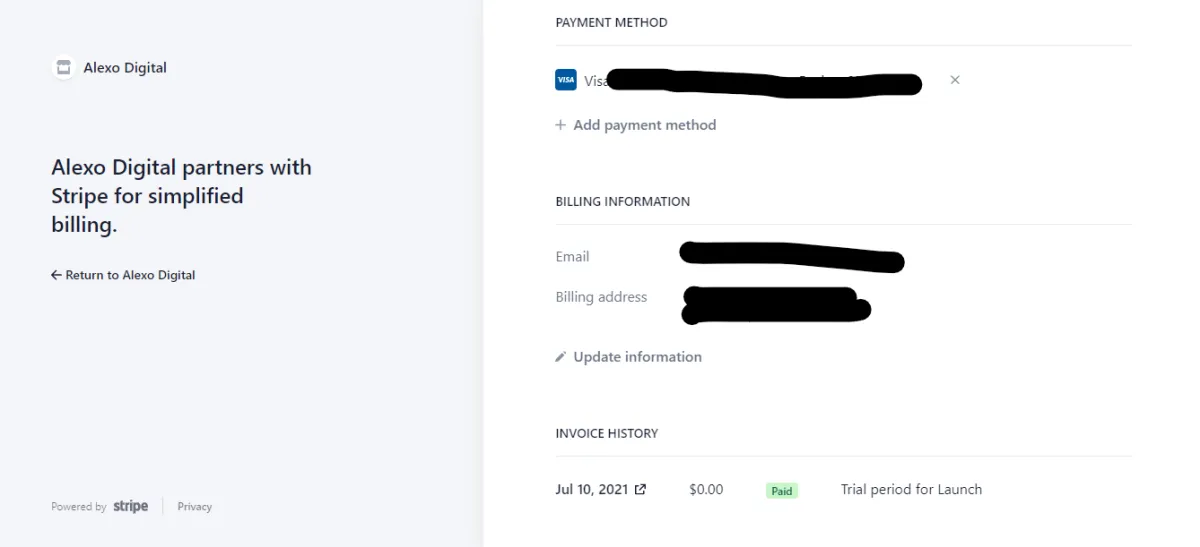
Open The Billing Portal
It will look like this...
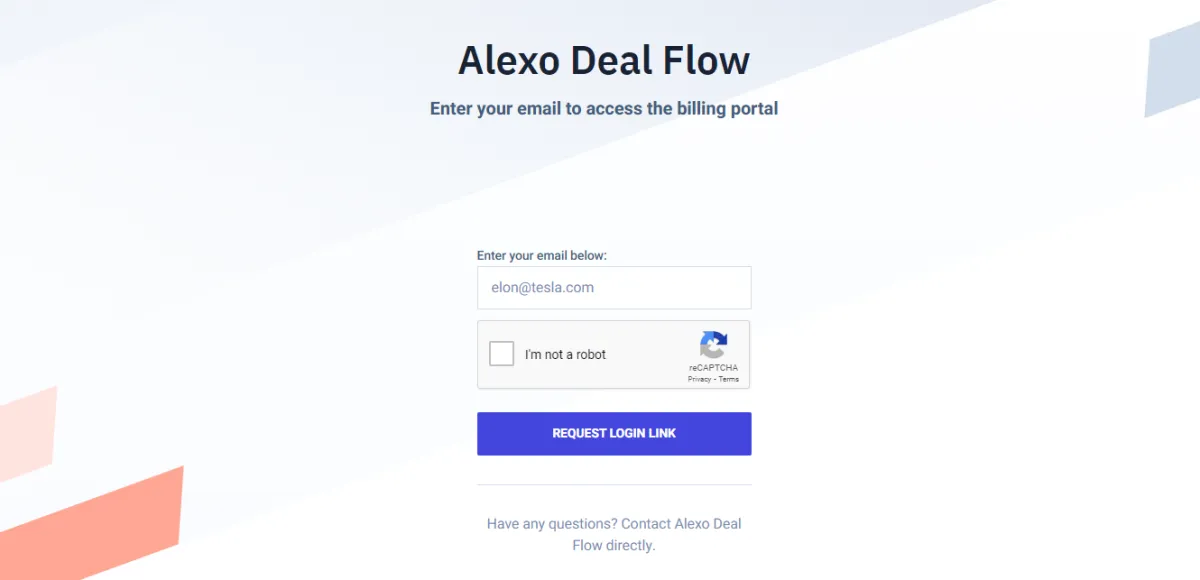
Step #2
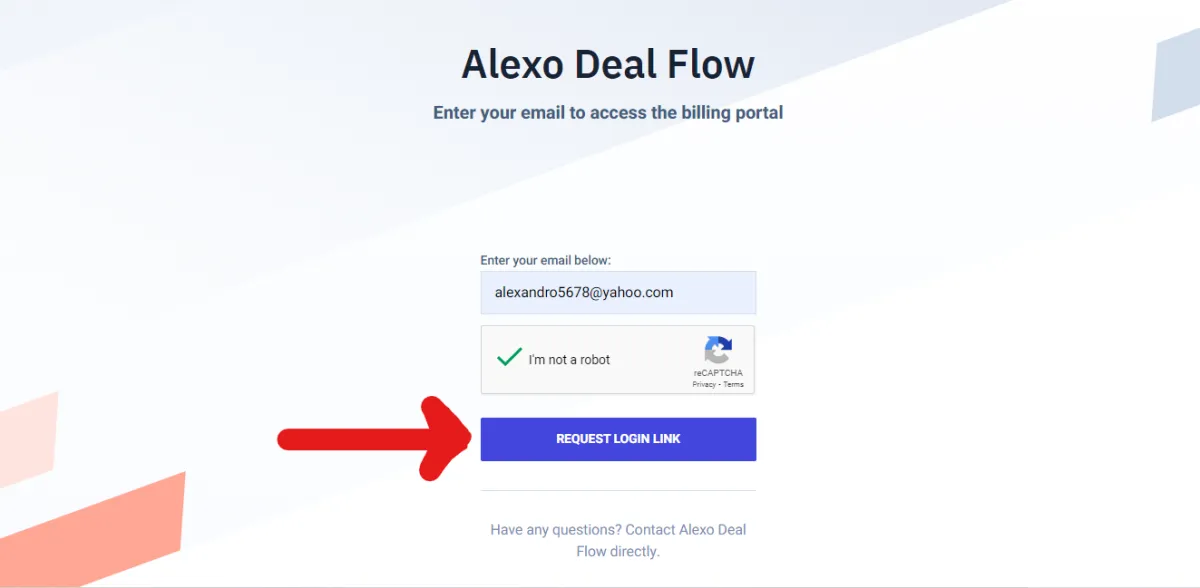
Enter Your Email To Request The Login Link
Then click the button "REQUEST LOGIN LINK"
SUBSCRIBE TO OUR YOUTUBE CHANNEL
Step #3
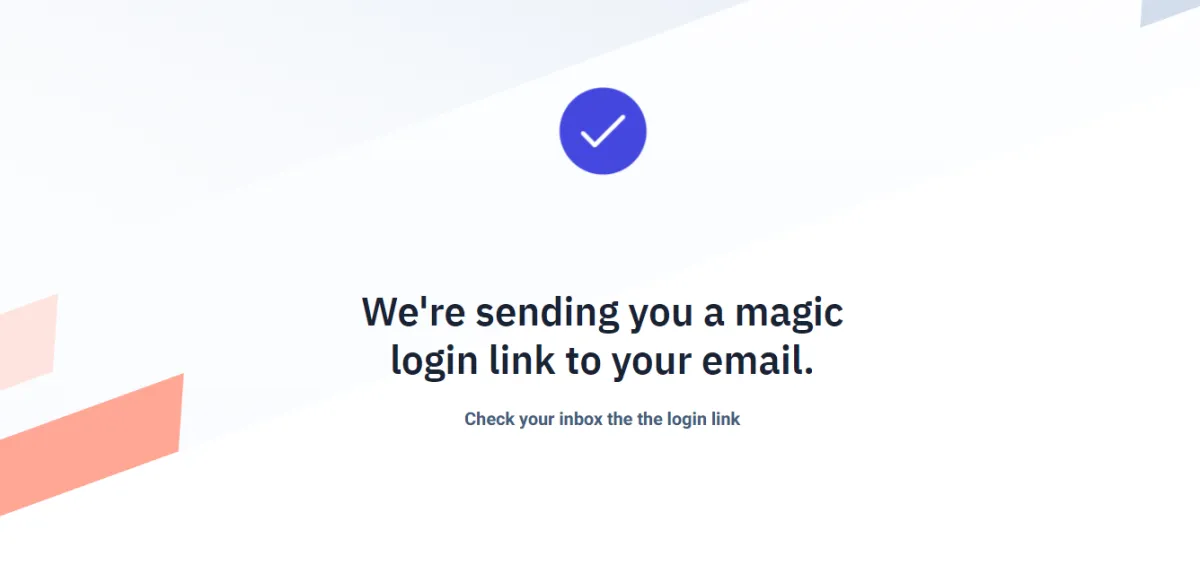
If you see this page, it worked.
Now Check Your Email
SUBSCRIBE TO OUR YOUTUBE CHANNEL
Step #4
Check Your Inbox For An Email From "Billing Portal"
Click on the email with the subject line below
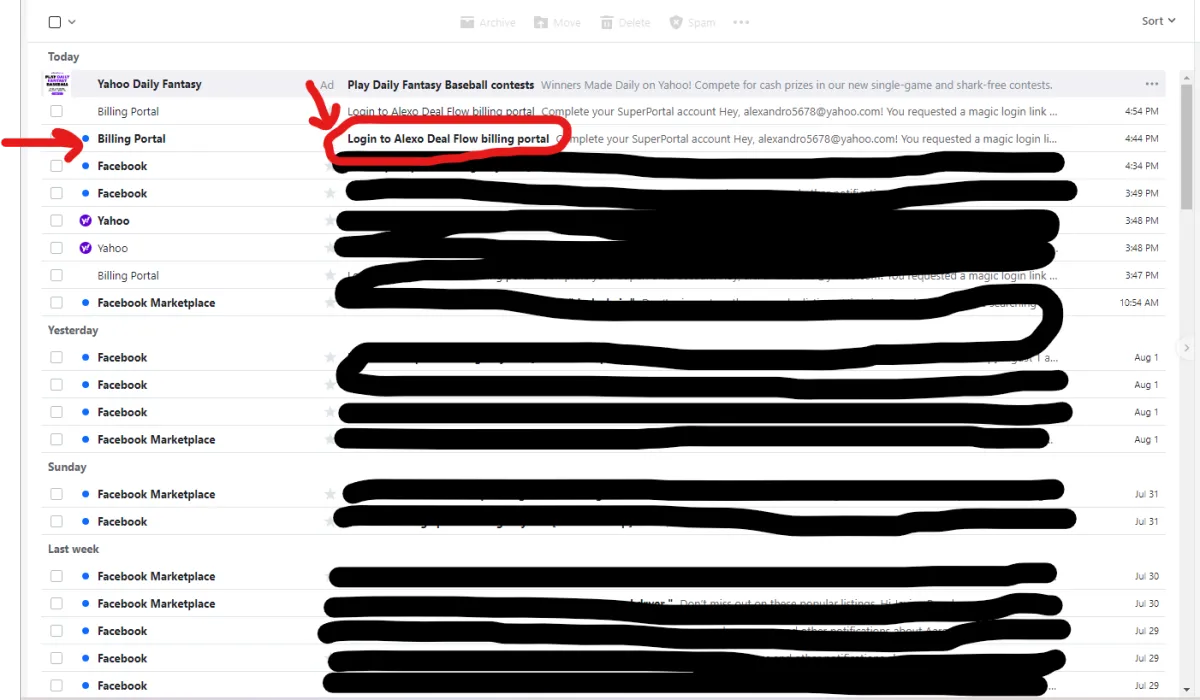
SUBSCRIBE TO OUR YOUTUBE CHANNEL
Step #5
Check Your Inbox For An Email From "Billing Portal"
Click on the email with the subject line below
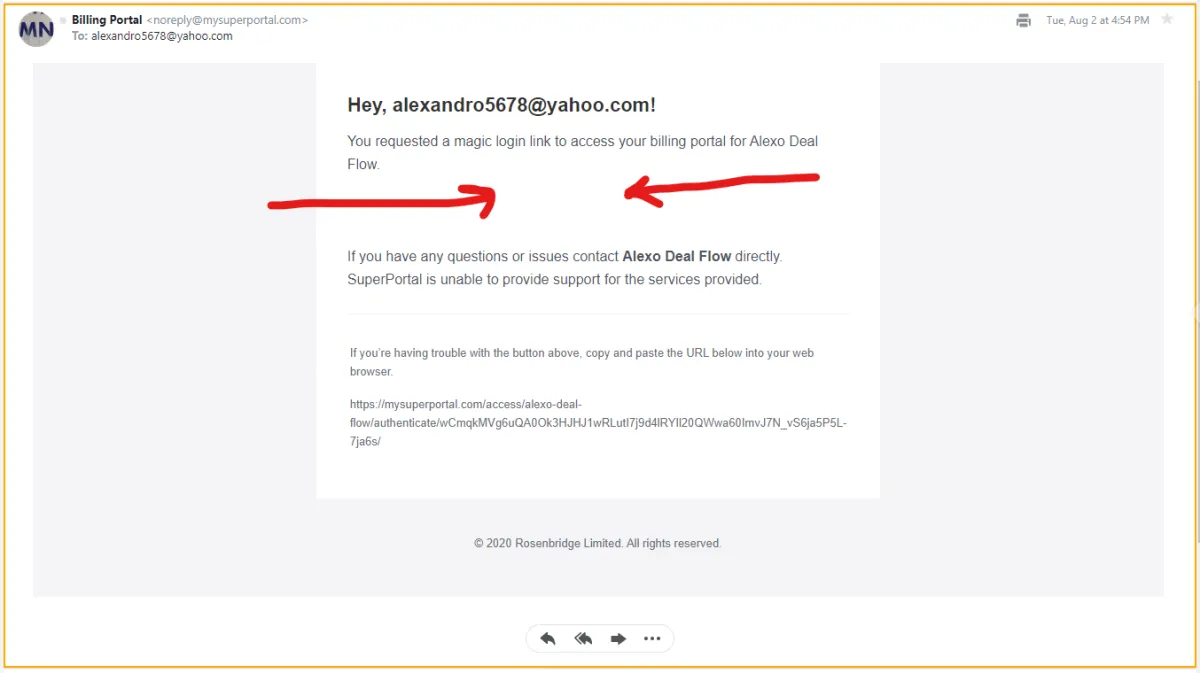
SUBSCRIBE TO OUR YOUTUBE CHANNEL
Step #5
Check Your Inbox For An Email From "Billing Portal"
Click on the email with the subject line below
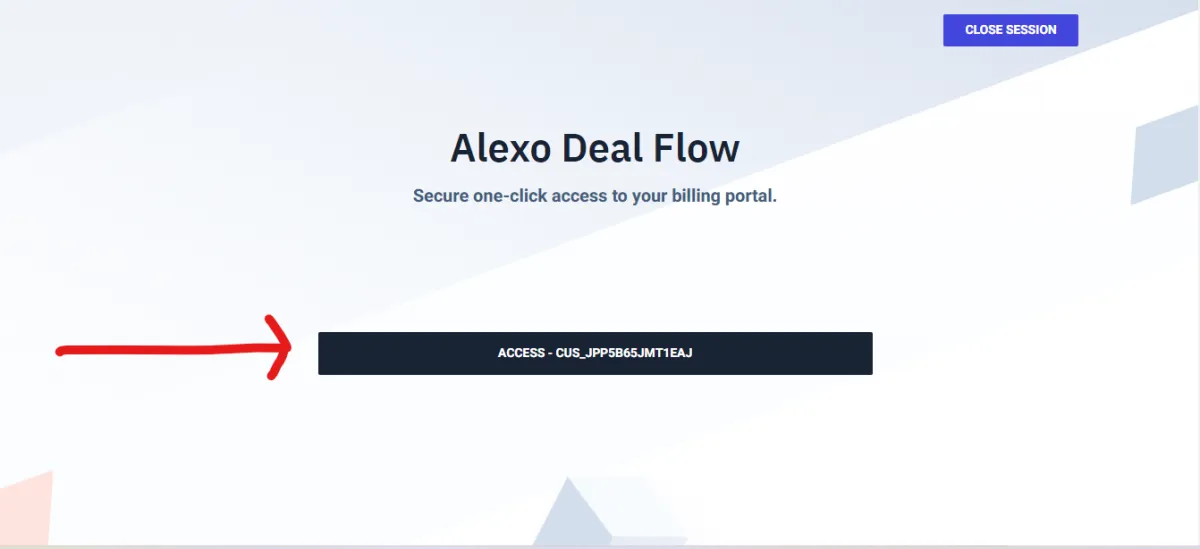
SUBSCRIBE TO OUR YOUTUBE CHANNEL
Step #7
Now You Can Manage Your Subscription
If you have any problems, directly email lorenzo@alexodigital.com